
HTTPS on a network camera is often easy to enable but difficult to manage well. Every manufacturer has its own web page, certificate format and renewal process. A video management system may discover a camera through ONVIF, then still need vendor-specific instructions before it can give that camera a trusted identity.
The ONVIF TLS Configuration Add-on defines how an ONVIF client can inspect a device’s security capabilities, create a private key, create a self-signed certificate or request one from a Certificate Authority, construct a certification path, assign that path to the camera’s TLS server and update it later.
CameraStack Server now implements that server-side workflow, and we have built two client tools around it. The tools also work with other cameras that expose the same ONVIF Advanced Security operations.
CameraStack Server support
CameraStack Server can create and inspect RSA keys, create self-signed certificates, create PKCS #10 CSRs, import issued certificates, build certification paths and add, replace or remove TLS server assignments. Key status is also published through the ONVIF Event service while slower key generation is in progress.
Once assigned, the selected certificate is used for HTTPS management
and snapshots, RTSP tunnelled through HTTPS, RTSP over secure WebSocket
and native rtsps:// streaming.
Plain HTTP can remain enabled as a recovery route during initial setup
and rotation, then be disabled separately after secure management has
been verified.
The same TLS configuration was then deployed across the CameraStack reference devices in the v0.4.0 fleet release, and certificate-pinned HTTPS, native RTSPS, authenticated snapshots and strict media decoding were checked against the running cameras.
A small tool for self-signed cameras
The ONVIF TLS Self-Signed Configurator handles the common private-network case: one camera with one self-signed HTTPS identity.
Give it a camera hostname or IP address and an ONVIF administrator account. It can discover the device service, inspect the existing state and then do one of three things:
- create the first camera-held self-signed identity;
- verify a healthy existing identity without replacing it; or
- rotate an expired, weak, mismatched or soon-to-expire identity atomically.
It can also save the public certificate, clean abandoned certificate objects from a simple camera and recover a camera that arrived with an expired self-signed certificate. It checks that the live HTTPS listener presents the exact certificate retrieved through authenticated ONVIF before accepting the result. HTTP stays enabled as a recovery route.
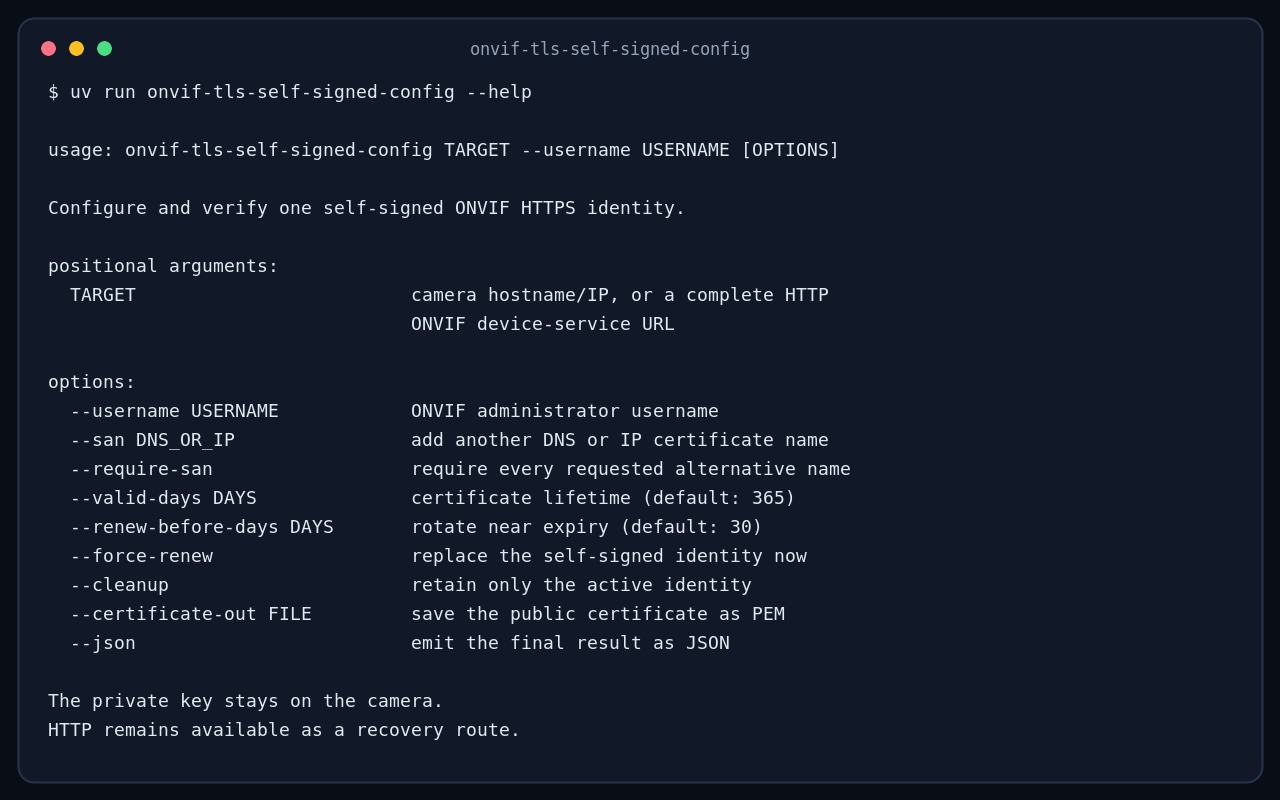
The configurator is limited to a single self-signed server identity. That keeps installation and review small, while still making repeat runs useful for routine checks and renewal. A camera with several assignments, CA material or a more complex security policy belongs in the full manager.
CameraStack TLS Manager
CameraStack TLS Manager is the cross-platform desktop application for the larger job. It discovers local ONVIF cameras and keeps the connection panel and long-running operation progress visible.
It can:
- inspect keys, certificates, paths, assignments and live HTTPS state;
- create, verify and renew self-signed identities;
- adopt an existing certificate without changing the camera;
- create a camera-held key and CSR for a private CA;
- validate and atomically activate the certificate returned by that CA;
- diagnose HTTPS, snapshots, RTSP over HTTPS, secure WebSocket and native RTSPS;
- store passwords and accepted certificate pins in the operating-system vault;
- preview dependency-aware cleanup before deleting anything;
- export a sanitized support bundle; and
- disable plain HTTP only after repeating secure-management checks.
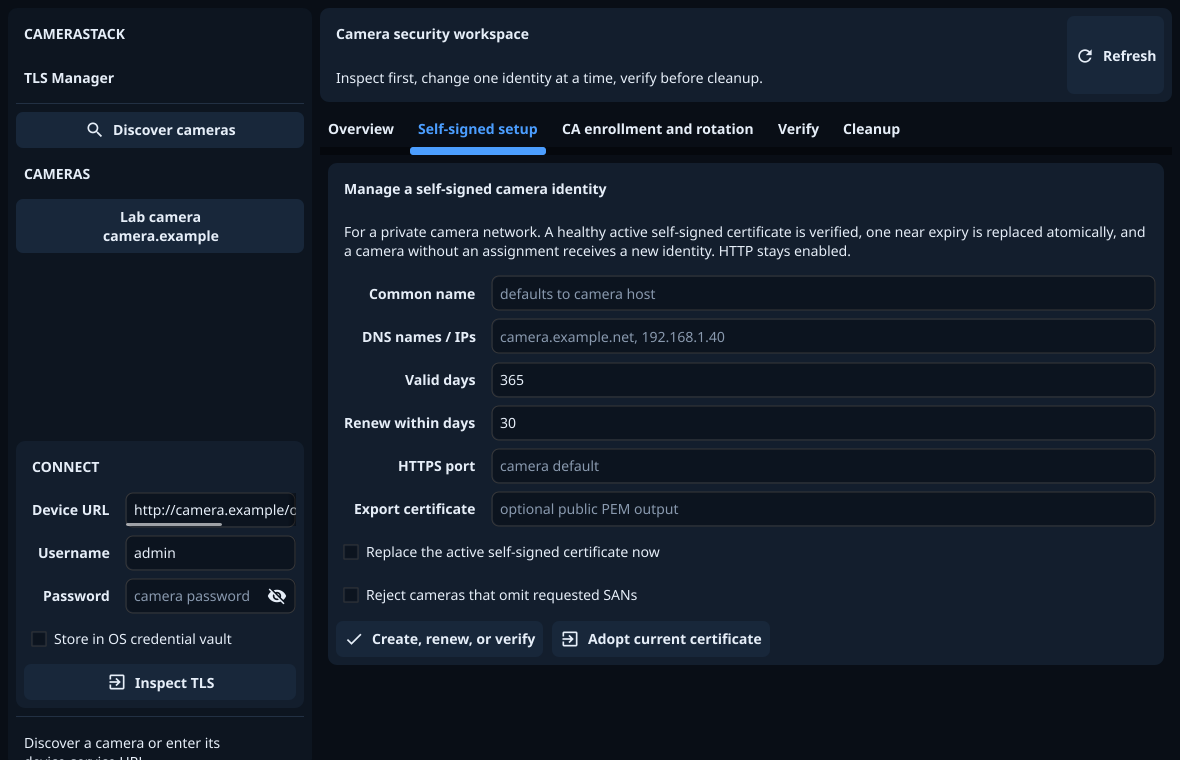
TLS Manager does not contain a production Certificate Authority. It exports the CSR for the administrator’s existing CA software, then resumes from a non-secret journal when the issued certificate is ready. Downloads are on the TLS Manager page. The manual covers the self-signed and CA enrolment flows, transport checks and recovery.
The tools are complementary
Both tools use standard ONVIF keys, certificates, paths and assignments. A camera configured by the Python utility is not tied to it. TLS Manager can later inspect, adopt or replace that identity, or move the camera to a private CA. A self-signed certificate created by TLS Manager can likewise be checked and renewed with the Python utility. Choose by the job at hand:
| Need | Tool |
|---|---|
| Put one private-network camera on HTTPS with a self-signed identity | ONVIF TLS Self-Signed Configurator |
| Check or renew that simple identity later | ONVIF TLS Self-Signed Configurator |
| Recover a simple camera with an expired self-signed certificate | ONVIF TLS Self-Signed Configurator |
| Enrol with a private CA | CameraStack TLS Manager |
| Understand multiple assignments or certificate dependencies | CameraStack TLS Manager |
| Diagnose every advertised secure transport or disable HTTP | CameraStack TLS Manager |
The useful outcome is that one standard workflow moves from a camera-held private key to a verified live TLS service, and can return months later to renew it safely.