
CameraStack TLS Manager is a desktop application for giving network cameras a proper TLS identity, and for keeping that identity healthy. It speaks the standard ONVIF Advanced Security service and the TLS Configuration Add-on, so it works with CameraStack Server and with other cameras that implement the same operations. It discovers local ONVIF cameras and keeps the connection panel and long-running operation progress visible.
Version 0.3 supports the key types introduced in version 2.0 of the TLS Configuration Add-on, currently a release candidate: RSA-3072 and P-384 alongside RSA-2048 and P-256. It reads the Add-on’s version 2.0 discovery token, and cameras that advertise only version 1.0 keep working as before.
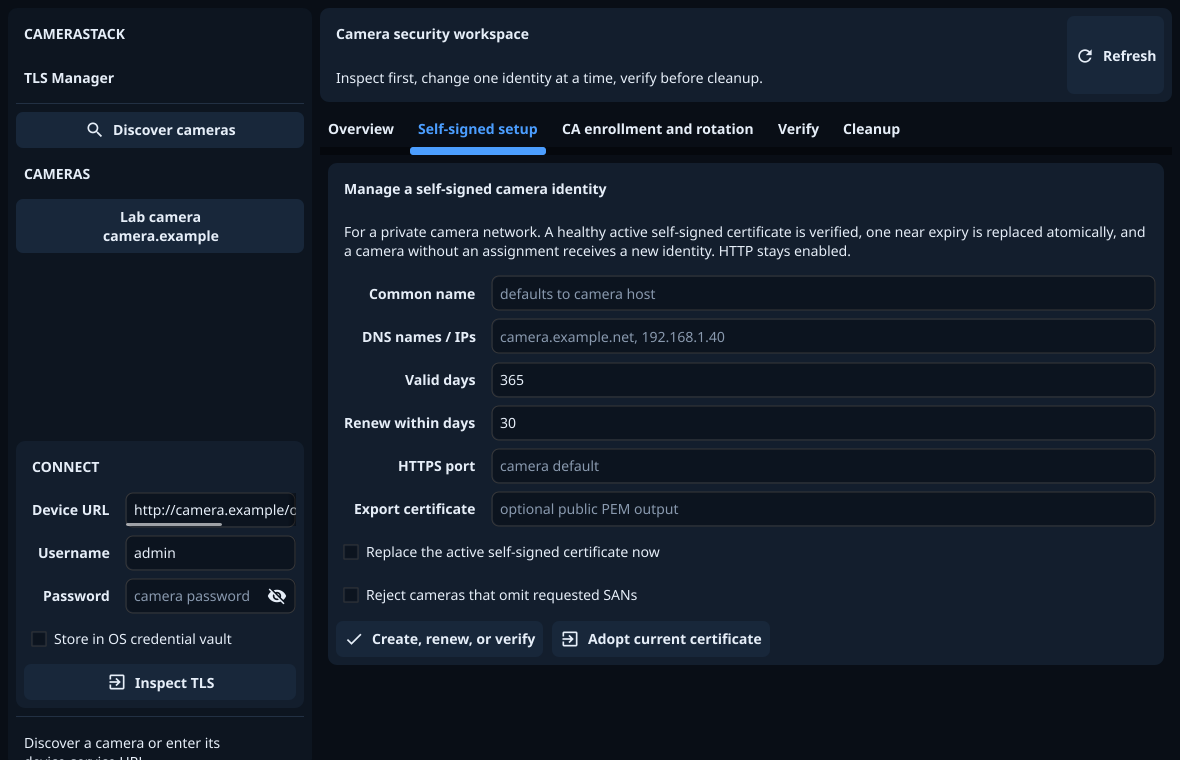
What it does
- Inspect keys, certificates, certification paths, TLS server assignments and live HTTPS state.
- Create, verify and renew self-signed identities, with RSA-2048, RSA-3072, P-256 or P-384 keys chosen from what the camera supports.
- Adopt an existing certificate without changing the camera.
- Create a camera-held key and CSR for your private Certificate Authority, then validate and atomically activate the certificate the CA returns. The private key never leaves the camera.
- Set up ONVIF Media Signing: inspect the factory and customer signing identities, enable signing on a video encoder, and enrol, renew or replace a customer’s CA-issued signing certificate.
- Diagnose every advertised secure transport: HTTPS, snapshots, RTSP
over HTTPS, secure WebSocket and native
rtsps://. - Store passwords and accepted certificate pins in the operating-system vault.
- Preview dependency-aware cleanup before deleting anything.
- Export a sanitized support bundle.
- Disable plain HTTP only after repeating the secure-management checks.
TLS Manager does not contain a production Certificate Authority. It exports the CSR for the CA software your organisation already runs, then resumes from a non-secret journal when the issued certificate is ready.
The self-signed alternative
For one private-network camera with one self-signed identity, the ONVIF TLS Self-Signed Configurator is smaller and scriptable. The two tools use the same standard ONVIF objects, so a camera configured with one can later be inspected, renewed or migrated with the other.
Downloads
Version 0.3.1. Each archive contains the application, the manual (as
README.md), and full third-party licence notices.
| Platform | Download | Size |
|---|---|---|
| Linux (x86-64) | .tar.xz | 10.6 MiB |
| Windows (x86-64) | .zip | 13.2 MiB |
Verify a download against its published SHA-256 checksums.
The Windows build is not code-signed yet, so SmartScreen may warn on first run. See the manual for usage, and the changelog for what changed in each release.